
Author
Gokul Bell
7 posts
Nifty
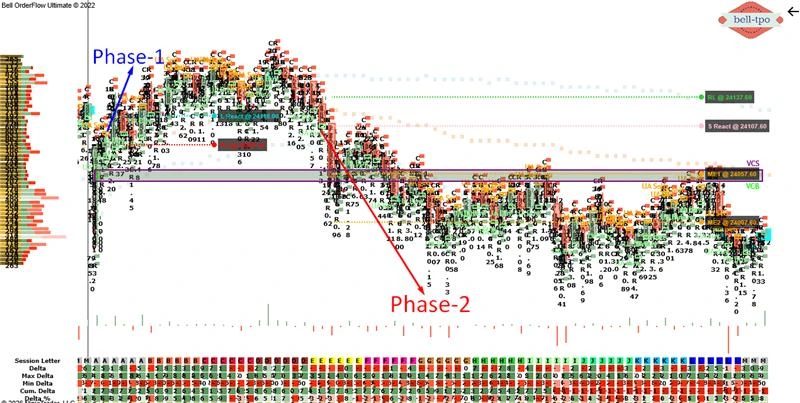
Educational Takeaway: Net 70 Points Move Captured in NIFTY_I with VC + TBTS + CR using Bell Orderflow Ultimate
Understanding how price behaves around reaction zones, equilibrium levels, and defined risk boundaries is key to structured trading. This example highlights how a combination of VC, TBTS, and CR helped identify both opportunity and risk clearly across two phases. Phase 1: 30 Points Risk Limit Hit Price Reaction (L React @ 24118.00) The initial long…
2 min read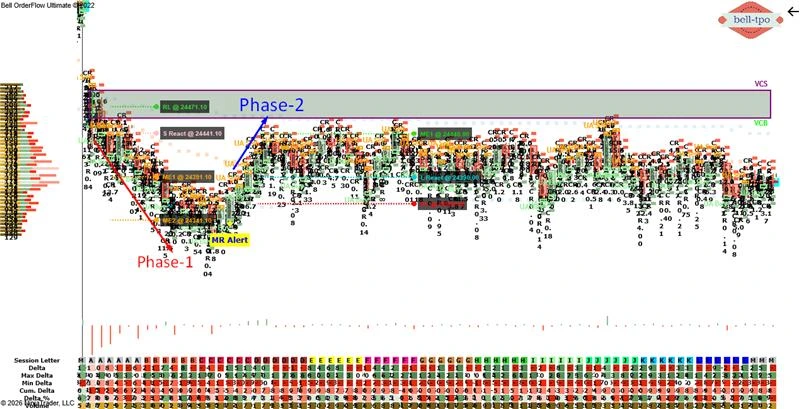
Nifty
Educational Takeaway: Net 150 Points Move Captured in NIFTY_I with VC + MR + TBTS + CR using Bell Orderflow Ultimate
The session highlighted a structured and high-probability move in NIFTY_I, where multiple orderflow concepts aligned to deliver a clean 150-point opportunity. The combined strength of VC, MR, TBTS, and CR played a crucial role in mapping both directional phases effectively. Phase 1: 100 Points Move (VC + CR + TBTS) The first phase was driven…
2 min read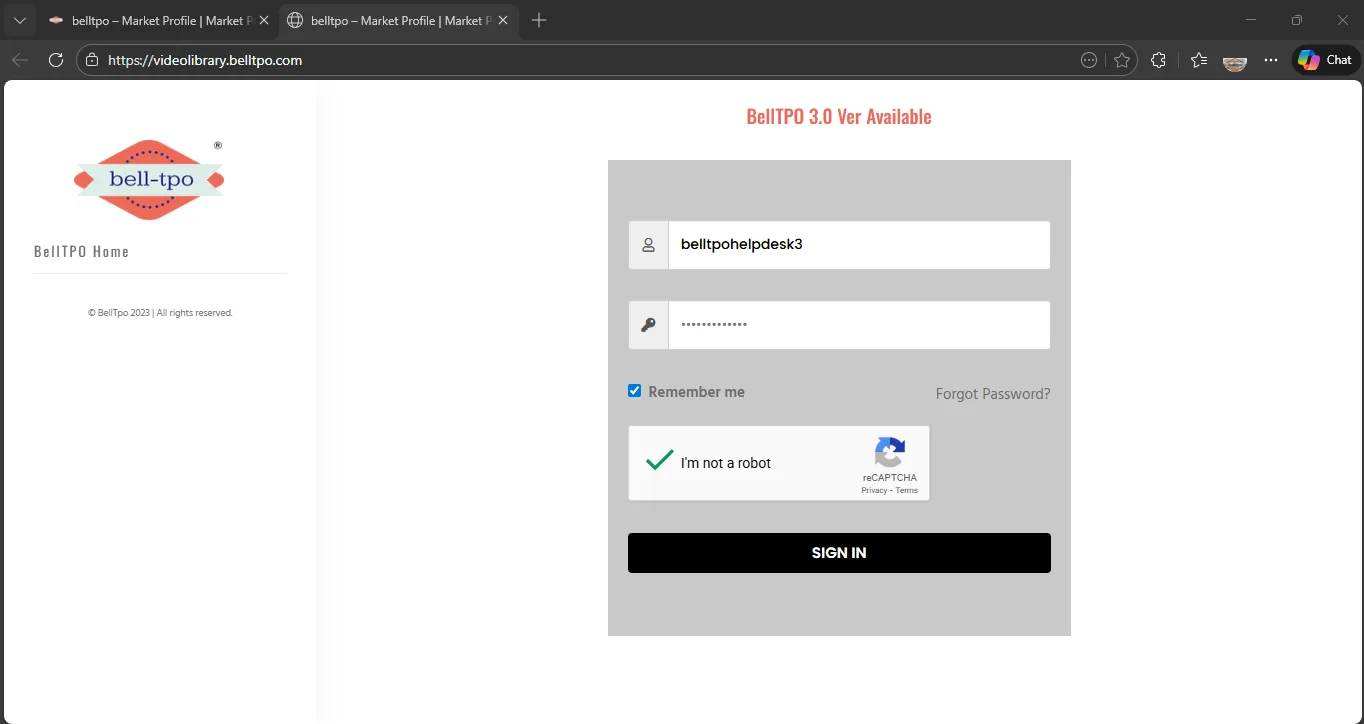
BellTPO Marker tool & Latest workspace setup
Step-1 – Login & Download 1. Open your web browser and visit the appropriate Video Library URL based on your purchase date: If you purchased the BellTPO product after November 2024, use: https://video.belltpo.com If you purchased the BellTPO product before November 2024, use: https://videolibrary.belltpo.com 2. Login using your registered username and password, then click Sign…
1 min read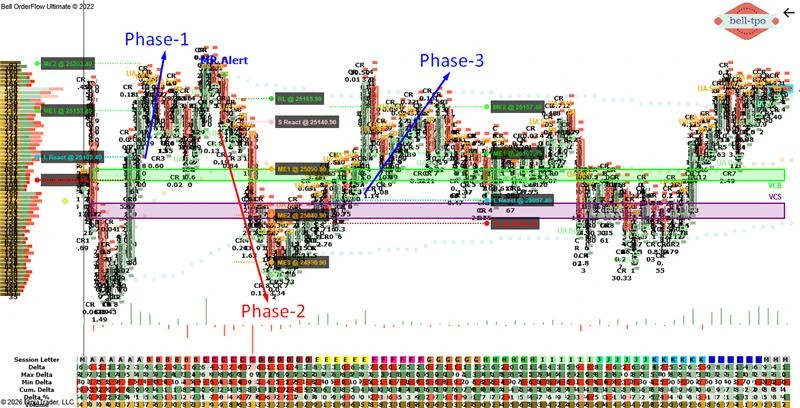
Nifty
Educational Takeaway: Net 350 Points Move captured in NIFTY_I with VC Zone + TBTS + CR + MR Alert using Bell Orderflow Ultimate
This educational walkthrough explains how Bell Orderflow Ultimate highlighted a net 350-point structured movement in NIFTY_I using Cluster Zone (VC), COT Ratio (CR), Trapped Alert (TBTS), and Momentum Reversal (MR) Alert. The emphasis is on price structure, equilibrium shifts, and risk-defined zones for learning purposes only. Phase-1: 100 Points Upside Structural Expansion (VC + CR)…
3 min read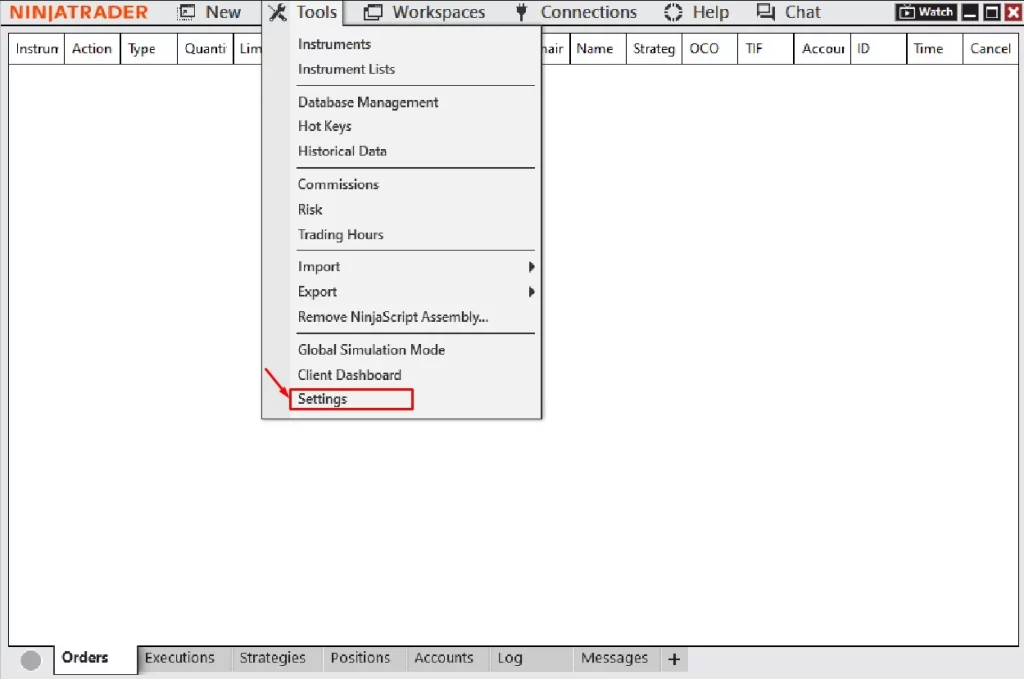
NinjaTrader 8 ಅನ್ನು NSE ಮತ್ತು ಕ್ರಿಪ್ಟೋ ಮಾರುಕಟ್ಟೆಗಳೊಂದಿಗೆ ಬಳಸುವ ಪ್ರಮುಖ ಬಳಕೆ ಮಾರ್ಗದರ್ಶಿಕೆಗಳು
✅ BTCUSD ಬಳಕೆಗೆ ಶಿಫಾರಸು ಮಾಡಿದ ಸಮಯ: ಉತ್ತಮ ಕಾರ್ಯಕ್ಷಮತೆ ಮತ್ತು ಸಾಕಷ್ಟು ವಾಲ್ಯೂಮ್ಗಾಗಿ BTCUSD/ETHUSD ಚಾರ್ಟ್ಗಳನ್ನು ಸಂಜೆ 06:30 ರಿಂದ ರಾತ್ರಿ 2:30 (IST) ತನಕ ಮಾತ್ರ ಬಳಸಿ. ❌ ಎಂದಿಗೂ ಎರಡೂ ವರ್ಕ್ಸ್ಪೇಸ್ಗಳನ್ನು ಒಂದೇ ಸಮಯದಲ್ಲಿ ಚಾಲನೆ ಮಾಡಬೇಡಿ: ಡೇಟಾ ಗೊಂದಲಗಳು ಅಥವಾ ಪ್ಲಾಟ್ಫಾರ್ಮ್ ಲ್ಯಾಗ್ ತಪ್ಪಿಸಲು NSE ಮತ್ತು BTCUSD ಎರಡೂ ವರ್ಕ್ಸ್ಪೇಸ್ಗಳನ್ನು ಒಂದೇ ಸಮಯದಲ್ಲಿ ಓಡಿಸಬೇಡಿ. ಹಂತ 1: NinjaTrader ಸೆಟ್ಟಿಂಗ್ಗಳನ್ನು ತೆರೆಯುವುದು NinjaTrader ನಲ್ಲಿ ಮೇಲಿನ ಮೆನು ಬಾರ್ಗೆ ಹೋಗಿ…
1 min readImportant Usage Guidelines for NinjaTrader 8 with NSE & Crypto Markets
✅ Recommended Usage Time for BTCUSD:Use BTCUSD/ETHUSD charts only during evening hours between 06:30 PM – 2:30 AM IST for optimal performance and good volumes. ❌ Do Not Run Both Workspaces Simultaneously: Never run both NSE and BTCUSD workspaces at the same time to avoid data conflicts or platform lag. Step 1: Open NinjaTrader Settings…
1 min read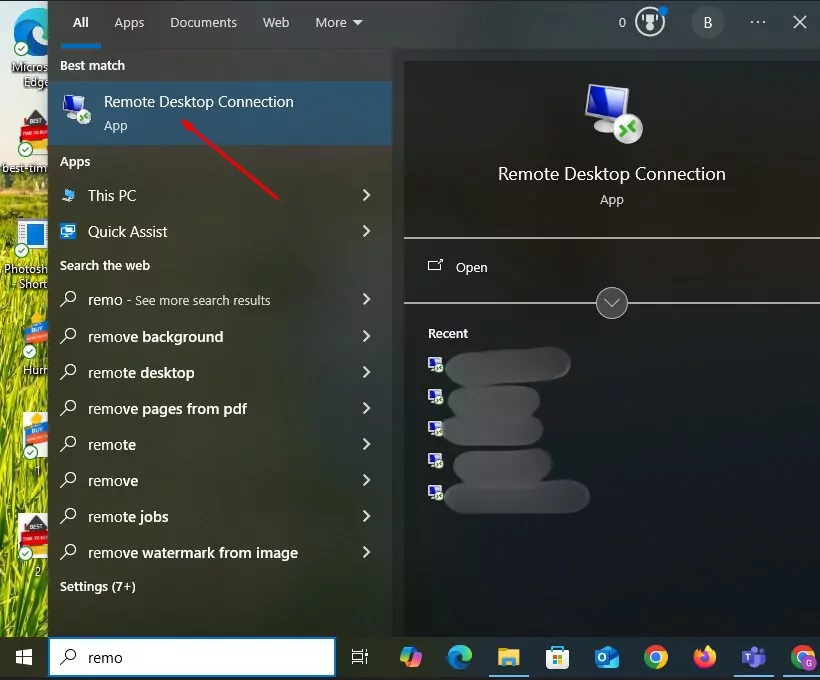
Remote Desktop Connection
Step 1: Open Remote Desktop Connection Go to the Windows Start menu and search for ‘Remote Desktop Connection’. Open the application to begin the process. Step 2: Enter IP Address and Username In the Remote Desktop Connection window, enter the IP address of your VPS in the ‘Computer’ field. Click ‘Show Options’ to enter your…
1 min read
No posts found.